

Did they wake up at their usual time?
 Automatic fall detection
Fall detection does not detect 100% of falls. Please press the button if help is needed.  24/7 emergency services
 No cameras 100% privacy
 Stay proactive with real-life insights


Peace of mind for you, independence for them
Nomo learns your loved one's daily routine and provides helpful insights when something changes. No cameras or invasive monitoring, just a better way to stay connected without constantly checking in.

A smarter way to stay connected

Nomo Smart Care™
Essential Care Kit
$199.99 + $19.99/mo subscription
Automatic fall detection and 24/7 emergency services help keep your loved one safe, ease your worry, and give them the freedom to live independently.
Try it in their home risk-free.
See what Nomo can tell you about everyday life at home. If it doesn't give your family more peace of mind, send it back within 30 days.

The Nomo Smart Care App
60-dayFREE APP TRIAL
The Nomo Smart Care system uses discreet sensors and AI to monitor daily routines and alert you to unusual activity. No cameras. No wearables. Just peace of mind.
Fall Detection
When a fall is detected, a panic button is pressed, or no movement is detected for a set period, Nomo instantly alerts the care circle by call, text, and push notification. If the alert is escalated, 24/7 emergency services will be dispatched to your loved one's home.
Panic buttons can be placed in high-risk areas like bathrooms, stairways, and beside the bed for added protection. This helps loved ones respond quickly while reducing unnecessary emergency calls.


Everything that it can do is just above and beyond.
—Olivia and BarbieNomo Smart Care users
Why families choose Nomo.


Shop Nomo accessories

Non-Contact Thermometer
$34.98

Blood Pressure Monitor
$54.98

Medical ID Bracelet
$24.98

Tag Accessory Pack
$24.99
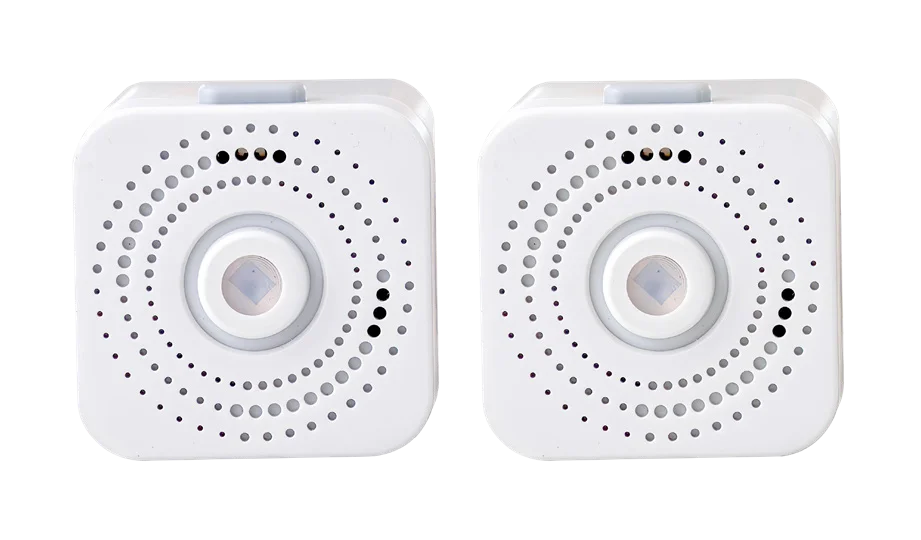
Satellite Accessory Pack
$39.99
Peace of mind starts here

No Contracts

HSA/FSA Eligible

30-Day Free Returns

Fast, Free Shipping
Caregiving is hard. Peace of mind shouldn't be.
Sign up today and get $10 OFF your Essential Care Kit
By signing up you agree to receive updates and marketing messages (e.g. email, social, etc.) from Nomo Smart Care™ about Nomo's existing and future products and services. You may withdraw your consent and unsubscribe at any time by clicking the unsubscribe link included in our messages. Your subscription is subject to the Terms and Privacy Policy.
Frequently asked questions
How do I start the conversation with my loved one about Nomo Smart Care?
Lead with independence, not surveillance: Nomo has no cameras and nothing to wear, and it simply helps you notice when something's off. To learn more, visit our Conversation Guide about Nomo Smart Care.
Where should I install my Nomo Smart Care™ Hub, Satellites, and Tags?
Install the Hub centrally, ideally in a heavily used room where your loved one spends most of their daytime. Plug Satellites into visible wall outlets with an unobstructed view of the area to monitor, and place Tags based on the care you want to provide — fridge, meds cabinet, front door.
What setting(s) must be enabled for Nomo Smart Care to work properly?
The app needs Bluetooth, WiFi, and Location Services permissions. Open the Nomo App, tap Settings, select App Permissions, and choose the permission to change — you'll be directed to your phone's menu to enable it.
Does the Care Recipient need a cell phone?
No — the Care Recipient doesn't need a cell phone or the app. During signup you can add either a cell phone or landline number for them to continue the setup process.
What is your Essential Care Kit warranty?
The Essential Care Kit comes with a 1-year limited warranty for the original purchaser, covering defects in materials and workmanship. Register it at nomosmartcare.com within 90 days of purchase and the warranty extends to 2 years. The sealed Tag batteries are covered for 10 years. Read the full Nomo limited warranty.