NOMO SMART CARE™

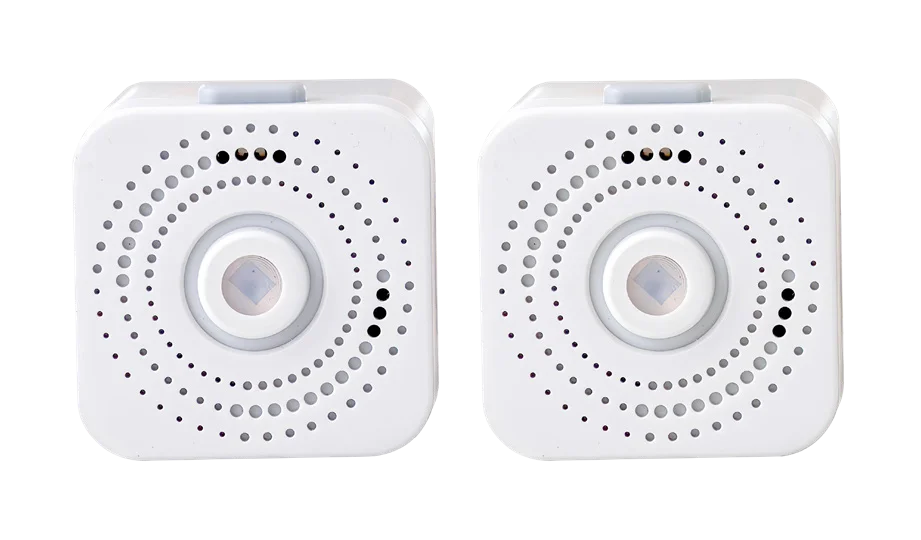
Satellite Accessory Packs

Improve your Nomo Smart Care with Additional Nomo Satellite Accessory Packs

Requires the Nomo Smart Care™ Essential Care Kit

Size$69.99
  • ✓ FSA/HSA Eligible
  • ✓ 30-day returns
  • ✓ Free shipping
  • ✓ 1-year warranty

Checkout with your HSA/FSA

Maximize your pre-tax HSA/FSA dollars.

  1. Select "Pay another way" or check out as a guest.
  2. Select the "Flex - Pay with HSA/FSA" option.
  3. Enter your HSA/FSA card details.

Powered by Flex Terms Privacy

Flex is available for eligible customers. HSA/FSA savings vary based on individual circumstances. Learn more at withflex.com/disclosures.

Extend Nomo's coverage to more rooms and spot small changes in your loved one's routine sooner in the Nomo app. Includes a motion-activated night light.

PLACES TO PUT SATELLITES

  • Bedroom
  • Bathroom
  • Kitchen
  • Garage
  • Hallway
  • Laundry Room
  • Activates motion-triggered night light
  • Keeps your Care Circle up-to-date
  • Expand Nomo’s coverage

EXTEND YOUR COVERAGE

Place Satellites where life happens.

Did Mom get up on time? Was she up overnight? Has she been in the kitchen today?

Nomo Satellites track movement in the bedroom, bathroom, and kitchen, helping you follow Mom’s routines and check in anytime through the app.

HOW IT HELPS

Where to put Satellites, and what they tell you.

A Satellite plugged in by a bed, with an app card showing 2 sleep interruptions

Sleep interruptions

Know if they’ve woken up in the night and gotten out of bed by placing a Satellite in the bedroom to sense motion.

A Satellite in a kitchen outlet, with an app card showing kitchen and mealtimes at 7:30 AM, 12:10 PM and 5:15 PM

Mealtimes

A Satellite sensing motion in the kitchen, and a Tag on the refrigerator or pantry, can tell you if they have been eating regularly, and at what time.

A Satellite in a bathroom outlet, with an app card showing 3 restroom visits

Regularity and frequency

Place a Satellite in the bathroom to get an idea of motion around normal bathroom activity, like showering and regularity.

Non-Contact Thermometer

$34.98

Blood Pressure Monitor

$54.98

Medical ID Bracelet

$24.98

Tag Accessory Pack

$24.99

Satellite Accessory Pack

$39.99

Frequently asked questions

What does a Nomo Satellite do?

A Satellite is a plug-in motion sensor that connects over Wi-Fi and extends the Hub's coverage. It detects motion and daily routines, has a light sensor and an LED ring, and turns on motion-triggered night lights for safer movement at night.

What do I need to use a Satellite?

A Nomo Smart Care Hub, a private wireless internet connection (username and password), and a smartphone or tablet running iOS 14.1+ or Android 8.0+. None of these are included with the Satellite. 2.4 GHz must be enabled on your Wi-Fi (unless disabled, this should already be enabled).

Where should I plug in a Satellite?

Into a standard wall outlet with an unobstructed view, ideally with visibility to high-traffic areas such as hallways and adjacent rooms.

How far does a Satellite sense motion?

The motion sensing range is 5 m (15 ft).

How many Satellites can I add?

There is no limit on the number of Satellites you can add to an Essential Care Kit.

How do I add a Satellite?

Before setting up a Satellite, make sure your Nomo account has been created and your Hub has been installed and activated.

Plug in the Satellite in the desired location.
In the Nomo app, go to Settings > Add & Manage Devices.
Select Satellite and give it a name, such as Bedroom or Kitchen.
Press and hold the Satellite button for at least six seconds, until a circular orange comet appears, then let go and let it do the rest.
The Hub will announce when the Satellite has been activated.
In the app, tap Finish to complete the setup.

Can I use a Satellite outdoors or near water?

No. Satellites are for indoor use only and should not be used near water, such as near a pool. Clean them with a dry cloth only.

The plug doesn't fit my outlet. Can I remove or change it?

No. The plug is part of the unit and cannot be removed. If it doesn't fit your outlet, consult an electrician.

How long is the free trial?

The kit includes a 60-day free trial of essential+, then $19.99/month.

When does the free trial start?

When you set up payment for the app. You're asked for payment at the end of setup, or you can pay later in Settings → Account & Payments → Subscriptions.

How much is shipping and how long does it take?

Free shipping on large US orders, and free 2-Day shipping to the contiguous 48 states. US delivery can take up to 5 business days. Weekend orders are processed the following Monday.

Do you ship internationally?

Nomo ships internationally (free shipping doesn't apply; delivery up to 14 business days), but the Essential Care Kit is currently available for use in the United States only.

Does my loved one need a cell phone or the app?

No. During signup you can add either a cell phone or landline number for them. Installing the app on their phone is optional.

What is your return policy?

Physical products have a 30-day return window. If you aren't satisfied, return the item(s) within 30 days for a full refund. Start a return at nomosmartcare.com/apps/returns.

How do I factory reset a Satellite?

Hold the button for 10 to 15 seconds until the ring quickly pulses red. Then remove and re-add the Satellite in the app.

What do the Satellite's light colors mean?

Orange comet: waiting for Wi-Fi details from the Hub. Orange fade up: button held for activation. Pulsing orange: searching for the Nomo network. Pulsing green: connected. Pulsing red: did not connect. Blue comet: trying Wi-Fi. Red comet: can't connect to Wi-Fi. Bright white: motion activity detected. Pulsing blue: checking for updates. Fast red pulse: factory reset. Green comet: trying to connect to the Nomo network.

Reviews