5.0 1 reviews

NOMO SMART CARE™

Tag Accessory Packs

Door & Drawer Tracking & Fall Alert Pendant by Nomo Smart Care

Size$39.99
  • ✓ FSA/HSA Eligible
  • ✓ 30-day returns
  • ✓ Free shipping
  • ✓ 1-year warranty

Checkout with your HSA/FSA

Maximize your pre-tax HSA/FSA dollars.

  1. Select "Pay another way" or check out as a guest.
  2. Select the "Flex - Pay with HSA/FSA" option.
  3. Enter your HSA/FSA card details.

Powered by Flex Terms Privacy

Flex is available for eligible customers. HSA/FSA savings vary based on individual circumstances. Learn more at withflex.com/disclosures.

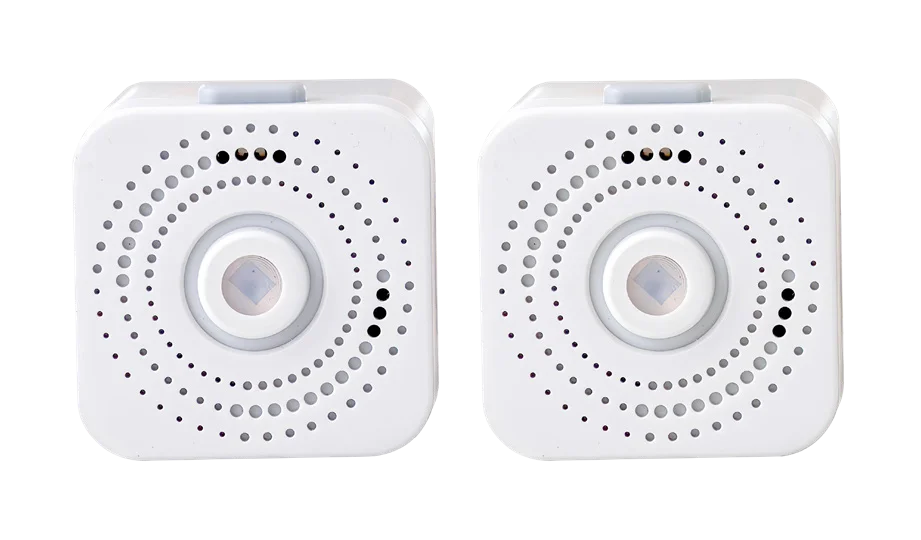
Tags stick anywhere and sense movement when items are used—like doors and drawers. Each Tag is shower-proof, double as alert buttons, and can be used as a fall detection pendant.

PLACES TO PUT TAGS

  • Drawers
  • Refrigerator
  • Medicine cabinet
  • Oven/microwave
  • Mobility aids
  • Outside doors
  • Toilet seat
  • Shower door
  • Pantry
  • Can be worn as a Fall Detection pendant⁠
  • Each Tag is equipped with a Panic Button
  • Can be used in the shower

WATCH OUR VIDEO

Stay protected with advanced fall detection.⁠

The Nomo Smart Care Tag detects falls with discreet sensors and alerts your Care Circle in under 10 seconds. Its lightweight pendant design makes everyday wear simple, so you can feel confident knowing help is close.

HOW IT HELPS

Where to put Tags, and what they tell you.

A Tag stuck to the side of a stair step beside a slippered foot

Emergency help at their fingertips

Tags stick almost anywhere, are shower-proof, and equipped with Panic buttons that alert the Care Circle if pressed. Emergency Services are just a tap away in the Nomo app if assistance is needed.

A woman reads a Movement Trigger on her phone: Medication accessed, Medicine cabinet Tag

Receive alerts for movement

Mom didn’t open the medicine cabinet yet today? You can set up an alert to check in, or send her a reminder. Dad not supposed to leave the house alone? If the front door moves, Nomo alerts you so you can react quickly.

Learn More – Receive alerts for movement

THE NOMO APP

Smarter panic alerts that prevent false alarms

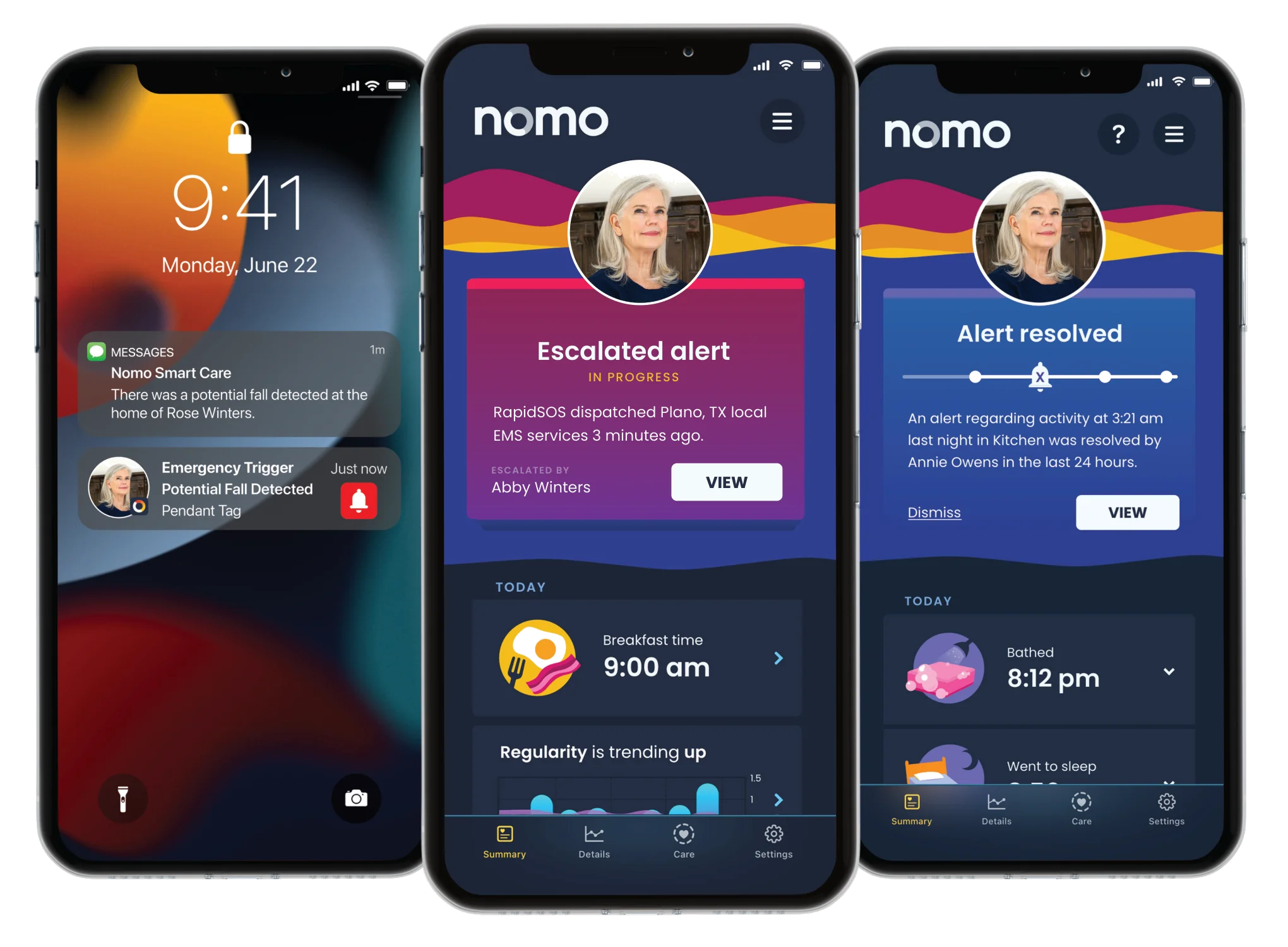
Once the panic button is pressed, your Care Circle receives an automated call, text, and app notification under 10 seconds, including details about where the emergency happened—like the shower, bedroom, or bottom of the stairs.

You can immediately reach out to your loved one to see what’s needed and decide if emergency services should be dispatched. This thoughtful process helps avoid false alarms and unnecessary ambulance calls, saving time, stress, and money while still ensuring help is always ready.

Three phone screens: a Potential Fall Detected alert from a pendant Tag, an escalated alert where RapidSOS dispatched local EMS, and the alert resolved

Non-Contact Thermometer

$34.98

Blood Pressure Monitor

$54.98

Medical ID Bracelet

$24.98

Satellite Accessory Pack

$39.99

Tag Accessory Pack

$24.99

Frequently asked questions

What is a Nomo Tag?

A battery-operated wireless movement sensor with an alert button. Attach it to things that move, like doors, drawers and windows, or to a non-moving surface within reach of a high-risk area such as a shower or bathtub.

Can Tags be used in the shower?

Yes. Tags are the only device in the Essential Care Kit that may be used near or around water, such as showers, bathtubs and sinks.

Can a Tag be worn?

Yes. When set up as a pendant in the app, a Tag does not sense regular movement; it acts as a panic button and potential fall detection device. Attach it to the included lanyard to wear around the neck, or carry it in a pocket. The wearable may only be used in the home.

Will the pendant detect every fall?

No. Fall detection may not detect 100% of falls. Always press the button if help is needed.

What does the button on a Tag do?

Pressing it sends the emergency response to the Care Circle. The same button is used to connect the Tag during setup.

Which Tag alerts can I set up?

Advanced triggers include Potential Fall Detected (when set up as a pendant), Low Battery and Panic Button Pressed. Other alerts can be set up as needed or preferred in Settings > Activities and Triggers > New Trigger. Select a trigger based on the desired metrics.

How long does the Tag battery last?

Nomo lists a 10-year battery life, and Tag batteries carry a ten-year battery warranty from the date of purchase.

What do I need to use a Tag?

A Nomo Smart Care Hub, a private Wi-Fi connection, and a smartphone or tablet running iOS 14.1+ or Android 8.0+. Tags are for indoor use only.

How long is the free trial?

The kit includes a 60-day free trial of essential+, then $19.99/month.

When does the free trial start?

When you set up payment for the app. You're asked for payment at the end of setup, or you can pay later in Settings → Account & Payments → Subscriptions.

How much is shipping and how long does it take?

Free shipping on large US orders, and free 2-Day shipping to the contiguous 48 states. US delivery can take up to 5 business days. Weekend orders are processed the following Monday.

Do you ship internationally?

Nomo ships internationally (free shipping doesn't apply; delivery up to 14 business days), but the Essential Care Kit is currently available for use in the United States only.

Does my loved one need a cell phone or the app?

No. During signup you can add either a cell phone or landline number for them. Installing the app on their phone is optional.

What is your return policy?

Physical products have a 30-day return window. If you aren't satisfied, return the item(s) within 30 days for a full refund. Start a return at nomosmartcare.com/apps/returns.

How do I add a Tag?

Before setting up a Tag, make sure your Nomo account has been created and your Hub has been installed and activated.

In the Nomo app, go to Settings > Add & Manage Devices.
Select Tag (or pendant) and give it a name and location such as Fridge in Kitchen or Medicine Cabinet in Bathroom.
When prompted, press and hold the button on the Tag until the flashing green lights appear, then let go and let it do the rest.
The Hub will announce when the Tag has been activated.
In the app, tap Finish to complete the setup.

How do I factory reset a Tag?

First click the button once: a red flash means the Tag isn't set up yet and is ready to add; a green flash means it's working. If it is connected, an emergency alert has been triggered and will need to be resolved in the app. To reset, press and hold the button; the lights go green, then steady red (keep holding). After about 6-10 seconds the LEDs turn red and flash quickly; let go. The Tag is factory reset and can be added back to the Nomo system. To re-add it, go to Settings > Add & Manage Devices > Tag.

Reviews